
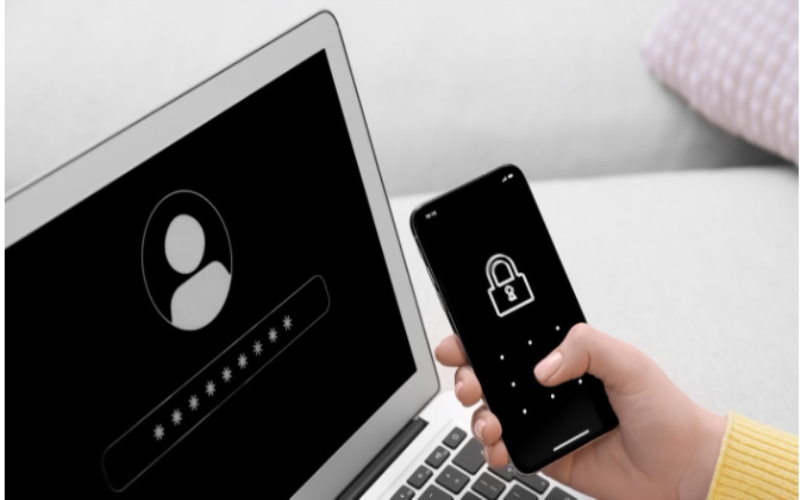
A strong password is your first line of defense against cyber threats. However, crafting the perfect password can be challenging. Fortunately, free password generator downloads are here to help!
These tools create complex, unique passwords that include a mix of uppercase, lowercase, numbers, and symbols, ensuring maximum security. But that’s just the beginning. To truly safeguard your accounts, opt for longer passwords, avoid common phrases, and consider using passphrases for easy memorization.
Also, adding Two-Factor Authentication (2FA) gives you an extra security layer, making it harder for attackers to get in. And to keep everything safe and organized, a password manager is essential. With these simple yet powerful tips, you’ll be equipped to protect your digital life with ease.
Essential Methods for Getting Strong Password Suggestions
To create strong passwords, you should consider several effective methods, such as:
1. Use a Free Password Generator
One of the most effective ways to generate strong passwords is by using a free password generator. These tools can instantly create complex and unique passwords that greatly enhance your security.
By utilizing a mix of uppercase and lowercase letters, numbers, and symbols, the free password generator download guarantees your passwords are harder for hackers to crack. You don’t have to worry about remembering intricate combinations or falling into the trap of using easily guessable words.
Instead, you can focus on generating multiple passwords for various accounts, increasing your overall online safety. With just a few clicks, you’ll have a strong password that protects your sensitive information while saving you time and effort. Embrace this simple solution for better security.
2. Opt for Longer Passwords
Passwords with at least 12-16 characters are notably harder to crack, as they exponentially increase the number of possible combinations. This means that even with advanced hacking techniques, longer passwords can withstand brute-force attacks much more effectively.
To simplify the process of creating these robust passwords, consider using a free password generator that allows you to customize the length and complexity. This tool not only saves you time but also guarantees that you meet the desired length without compromising on randomness or strength.
3. Avoid Common Words and Patterns
Avoiding common words and patterns is essential for creating strong passwords, as predictable choices greatly weaken your security. Words like “password123” or sequences such as “abcdef” are easily guessed by attackers using simple algorithms.
Instead, opt for a randomly generated combination of characters, numbers, and symbols that don’t relate to personal information. This randomness makes it considerably harder for anyone to crack your password.
Additionally, avoid using easily accessible personal details, like birthdays or names, as they can be uncovered through social engineering tactics. By steering clear of common phrases and patterns, you enhance your password’s complexity, making it a formidable barrier against potential intrusions.
4. Use Passphrases for Better Memory
Using passphrases can greatly improve both the security and memorability of your passwords. Instead of relying on single words or complex characters, consider creating a longer, easy-to-remember sentence that includes random words, like “Blue$Tiger@SkyRain8.”
This method not only enhances security by increasing complexity but also makes it easier for you to recall the password. You can further simplify the process by using a free password generator to create these secure passphrases.
By mixing letters, numbers, and symbols within a memorable context, you’re less likely to forget your password while also protecting your accounts from unauthorized access. Embracing passphrases can be a simple yet effective strategy for maintaining strong password hygiene.
5. Enable Two-Factor Authentication (2FA)
Enabling Two-Factor Authentication (2FA) greatly enhances your account security by requiring an additional verification step beyond just your password. Even if you use a strong password, 2FA adds an essential layer of protection.
Typically, this involves receiving a one-time code sent to your phone, making it considerably harder for attackers to gain access to your accounts. When you enable 2FA, you’re not just relying on your password; you’re actively securing your digital identity.
6. Use a Password Manager
A password manager can be an invaluable tool for maintaining strong online security. It securely stores and autofills complex passwords, so you won’t have to remember a multitude of credentials.
This not only saves time but also encourages you to use unique passwords for each account, greatly reducing the risk of breaches. Many password managers offer a free password generator, allowing you to create strong and random passwords effortlessly.
What is the best password suggestion?
The best password suggestions prioritize length and complexity. Aim for passwords that are at least 12 characters long; however, 14 or more is even better. A strong password combines uppercase letters, lowercase letters, numbers, and symbols, creating a robust defense against unauthorized access.
For instance, instead of using “Password123,” consider a suggestion like “G!7mPq@4Vz#xA1,” which encompasses varied character types and lengths. Such combinations thwart common cracking methods, enhancing security.
Additionally, avoid predictable patterns or easily guessable information, like birthdays or names. The strongest password suggestions not only meet these criteria but also encourage you to create unique passwords for different accounts, further protecting your sensitive information.
What is a passphrase, and how can it improve my password security?
Strong password suggestions are essential for online security, but incorporating passphrases can elevate your protection even further. A passphrase consists of a longer, memorable combination of random words or characters, such as “Blue$Tiger@SkyRain8.”
This format not only enhances memorability but also greatly increases security compared to traditional single-word passwords. The complexity of a passphrase makes it more challenging for attackers to crack, as it often includes a mix of upper and lower-case letters, numbers, and symbols.
Is Two-Factor Authentication (2FA) necessary along with strong passwords?
While strong passwords are essential for securing your online accounts, relying solely on them isn’t enough in today’s digital landscape. Two-factor authentication (2FA) is necessary because it adds a critical extra layer of protection.
By requiring you to verify your identity through a secondary method, like a code sent to your phone, 2FA markedly reduces the risk of unauthorized access. Even if someone manages to compromise your password, they won’t be able to access your account without that second verification step.
Build a Strong Fortress: Power of Robust Passwords
Your password is the fortress guarding your treasures. By utilizing strong password suggestions, you’re not just creating barriers; you’re crafting a shield against potential threats. Embrace the power of passphrases, mix in unique characters, and always consider two-factor authentication as your trusty sentry.
Avoid common pitfalls, and you’ll fortify your defenses. Remember, in a world where cyber risks loom large, your vigilance today shapes your security tomorrow. Stay proactive and protect your assets.